
Path Blur
Blur pixel along path.
Node Data | |
|---|---|
 | |
Display name | |
Path Blur | |
Internal name | |
Node_Blur_Path | |
Inheritances | |
| Node_Processor | |
| Node_Blur_Path | |
Inputs | |
toggle |
Channel |
Surfaces | |
surface |
Surface In |
surface |
Uv Map |
slider |
Uv Mix |
surface |
Mask |
slider |
Mix |
Path | |
path |
Blur Path |
slider |
Path Origin |
range |
Range |
Blur | |
enum |
Mode |
int |
Resolution |
Transform | |
anchor |
Anchor |
rotRange |
Rotation Modulate |
curve |
Scale Modulate |
Render | |
float |
Intensity |
gradient |
Color |
bool |
Inverted |
Outputs | |
surface |
Surface Out |
Attributes | |
| Color Depth | |
| Oversample | |
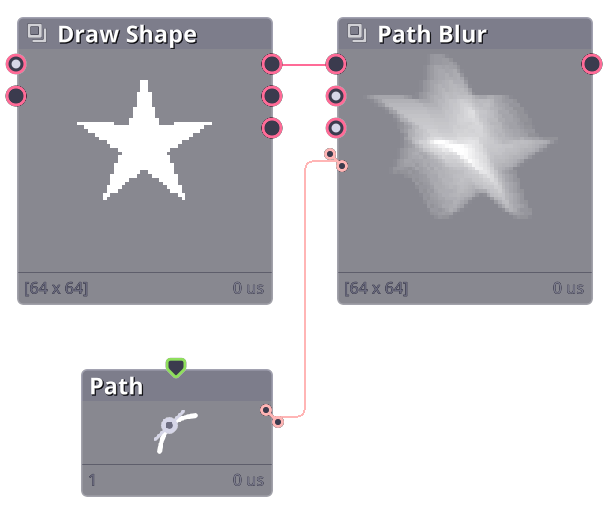
Blur surface along a path.
Properties
Surface In
Surface to blur
Blur Path
Path to blur along
Path Origin
Where to start the blur. Setting to 0 will start from the beginning of the path, 1 will start from the end of the path.
Range
Range of the path to blur (0 - 1 means the entire path).
Resolution
The amount of sampling along the path. Higher resolution will result in a smoother blur but will take longer to compute.
Intensity
The intensity of the blur. Higher intensity will result in a more pronounced blur.
Intensity Along Path
Curve that modify the intensity value along the path.
Commit History
| 1.17.5 |
|
|---|
Related Links
- Base Code: /scripts/node_blur_path/node_blur_path.gml
- Shader [sh_blur_path]: /shaders/sh_blur_path/sh_blur_path.fsh