

Blur
Blur image smoothly.
Node Data | |
|---|---|
 | |
Display name | |
Blur | |
Internal name | |
Node_Blur | |
Inheritances | |
| Node_Processor | |
| Node_Blur | |
Inputs | |
Node_Blur | |
toggle |
Channel |
surface |
Surface In |
surface |
Uv Map |
slider |
Uv Mix |
surface |
Mask |
slider |
Mix |
float |
Size |
enum |
Intensity |
curve |
Intensity Modulation |
bool |
Override Color |
color |
Color |
bool |
Gamma Correction |
slider |
Aspect Ratio |
rotation |
Direction |
Outputs | |
Node_Blur | |
surface |
Surface Out |
Attributes | |
| Color Depth | |
| Oversample | |
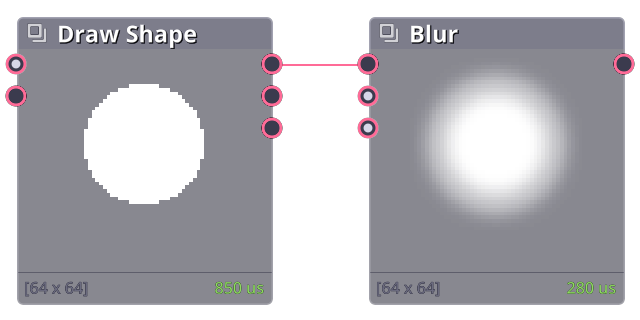
Blur node applies gaussian blur uniformly on the image.
Properties
Size
Blur radius.
Override Color
When blurring image with transparency, sometimes the edge becomes darker (due to the empty pixel being registered as transparent black). Thus this option can be use to replace the final blur color with one uniform color.
Blur family
Blur node is optimized for uniform bluring. For more complex blur, you can check out other nodes in the blur family:
| Blur | Basic uniform blur |
| Non-Uniform Blur | Apply bluring amount differently based on blur mask |
| Directional Blur | Blur in one direction |
| Slope Blur | Blur image based on the slope of the slope map |
| Zoom Blur | Blur image in or out of a single point |
| Radial Blur | Blur image around a point |
| Lens Blur | Blur image with bokeh effect |
| Contrast Blur | Blur pixel with similar color |
| Shape Blur | Blur image with custom shape |
| Average | Find average of the entire surface |
Related Links
- Base Code: /scripts/node_blur/node_blur.gml